Connect the physical world to your enterprise systems.
R-COM Gateway turns RFID, barcode and sensor events into workflows, digital twins and integrations with ERP, WMS and MES.
One platform from the reader to the report.
R-COM Gateway covers ingestion, automation, storage, interfaces and monitoring, so you configure a solution instead of assembling one.
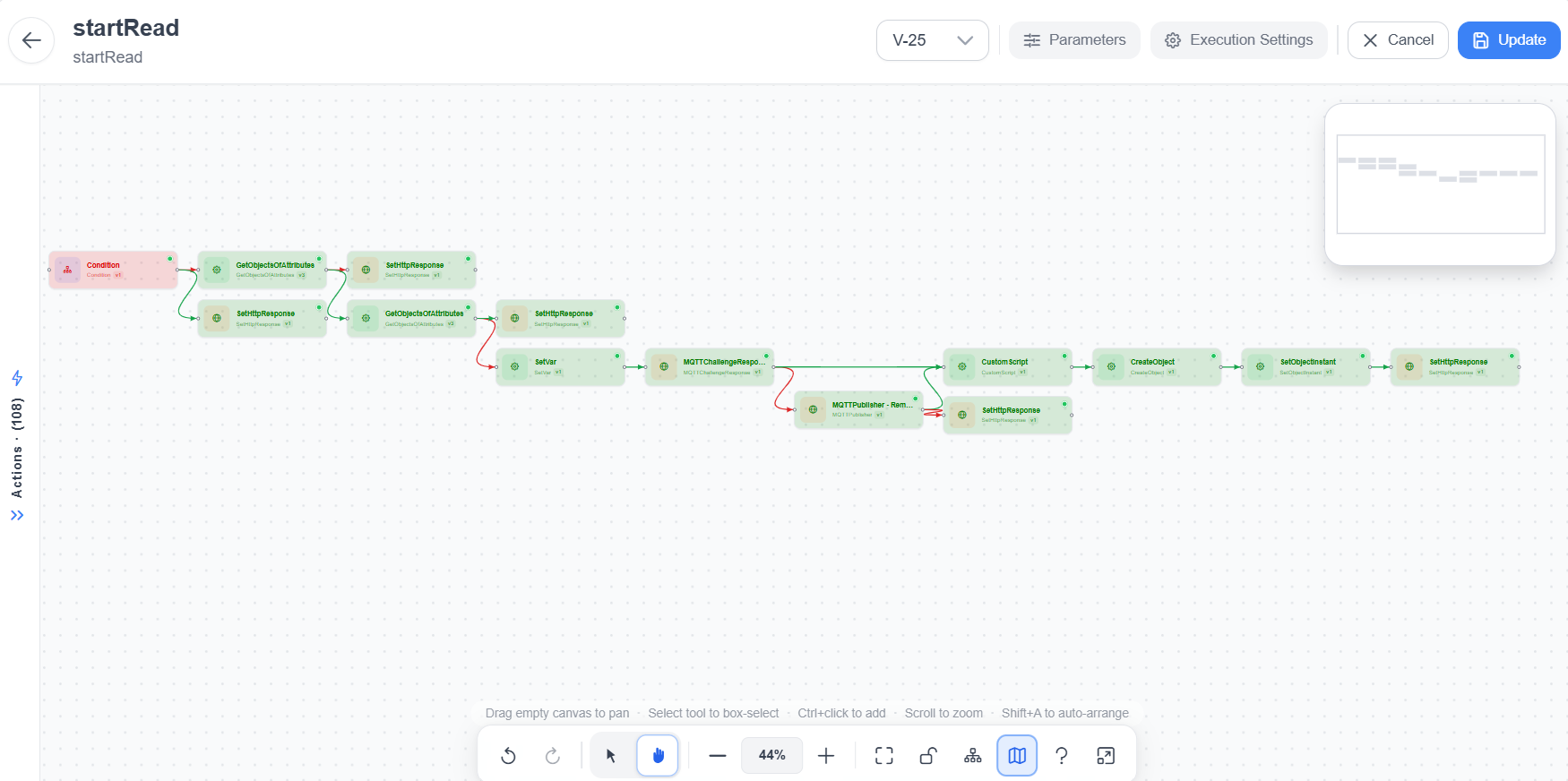
Low-code workflows
Model business logic visually instead of writing middleware. Each workflow is versioned and runs on a parallel execution engine.
- Conditions, variables and expressions
- Object, REST, SQL and MQTT actions
- Custom scripts where logic needs code
Object Schemas
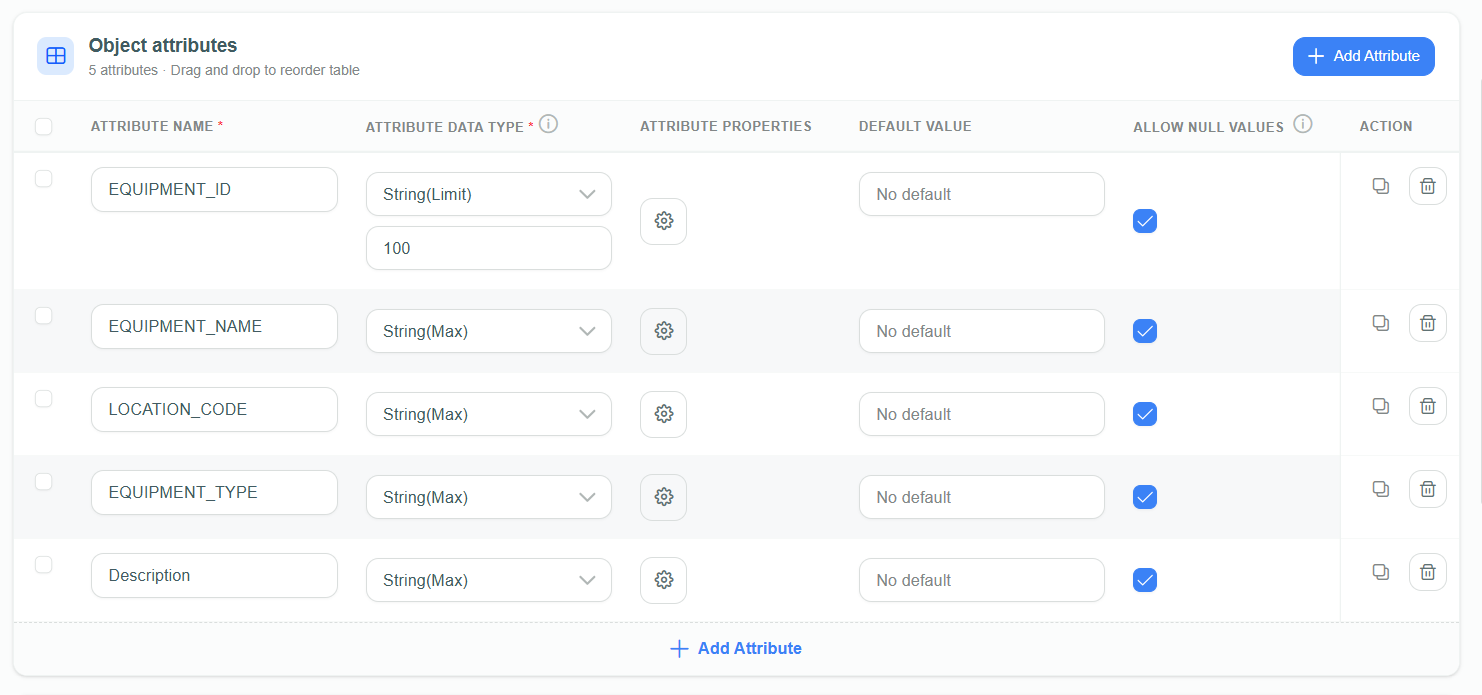
Keep a digital record of every asset, container, order or room, with typed attributes, references and full change history.
- Typed and custom attributes
- References and unique constraints
- Attachments and audit history
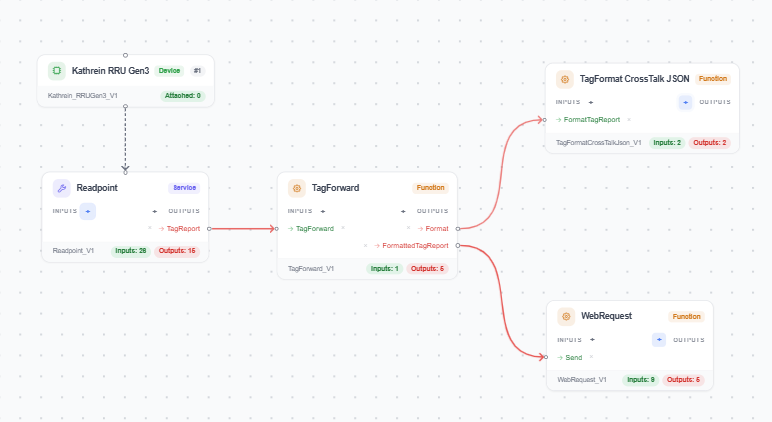
Edge Agents
R-COM Agents run beside readers and scanners. They are configured from process templates and keep collecting when the network drops.
- Vendor-neutral device connectors
- Filtering, de-duplication, buffering
- Central status and logs per Agent
Custom UIs and Maps
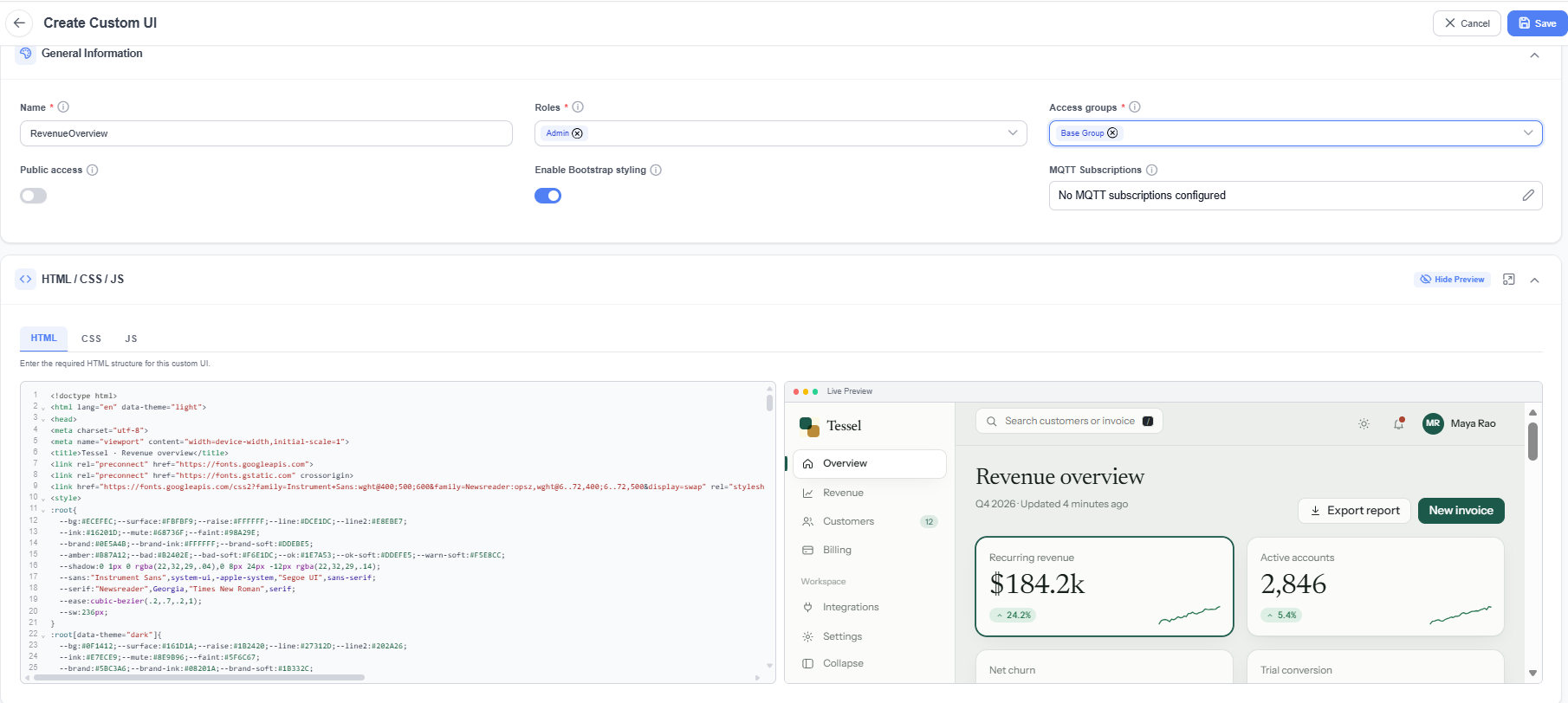
Build operator panels in HTML, CSS and JavaScript inside the Gateway, and place live objects on uploaded floorplans.
- Live updates over MQTT
- Role and access group scoping
- Zones and positions on floorplans
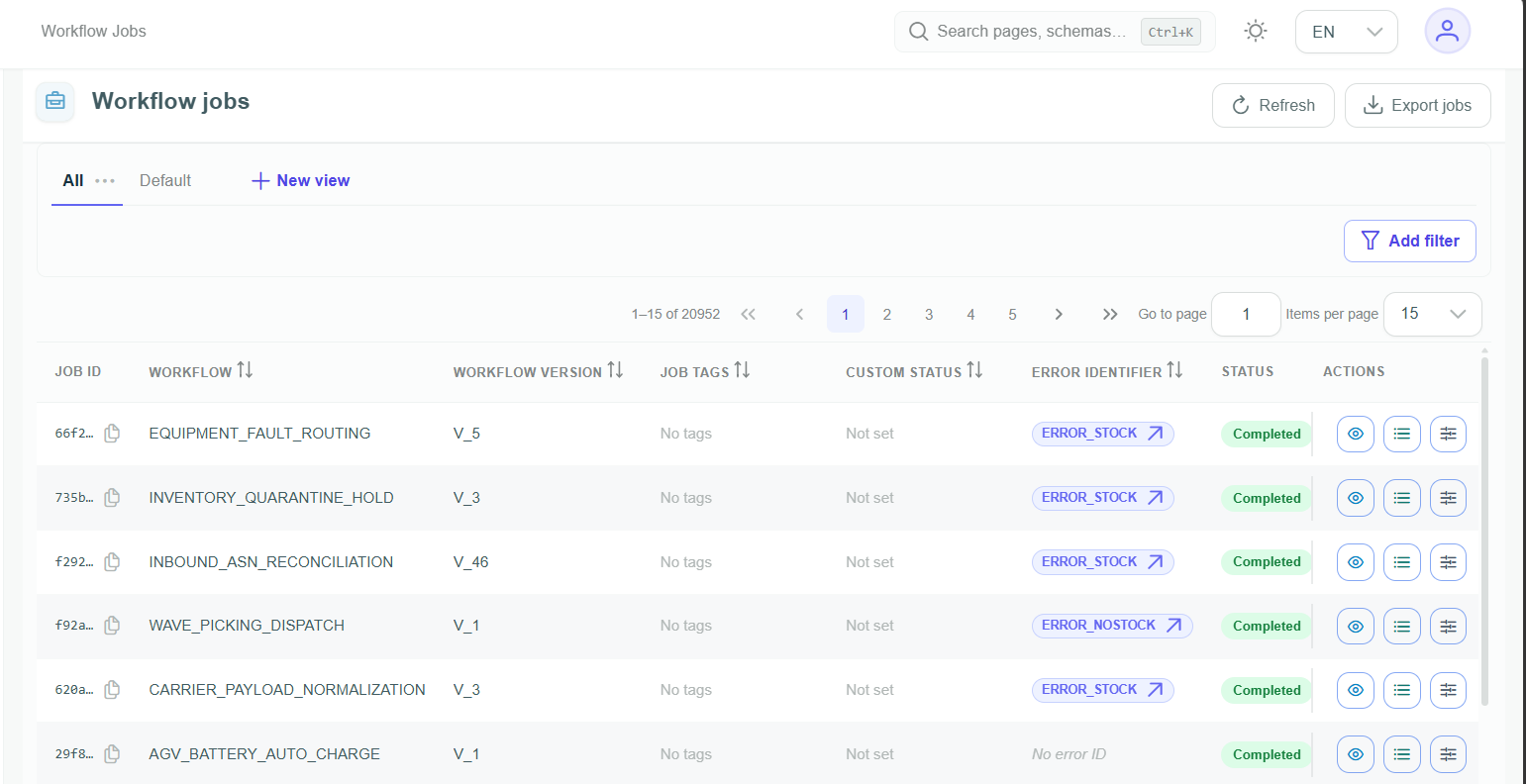
Jobs and traceability
Every event and workflow run is recorded with status, version and error identifiers, so you can audit, filter and rerun.
- Per-run logs and context
- Custom errors and statuses
- Saved views and filters
Audit logs
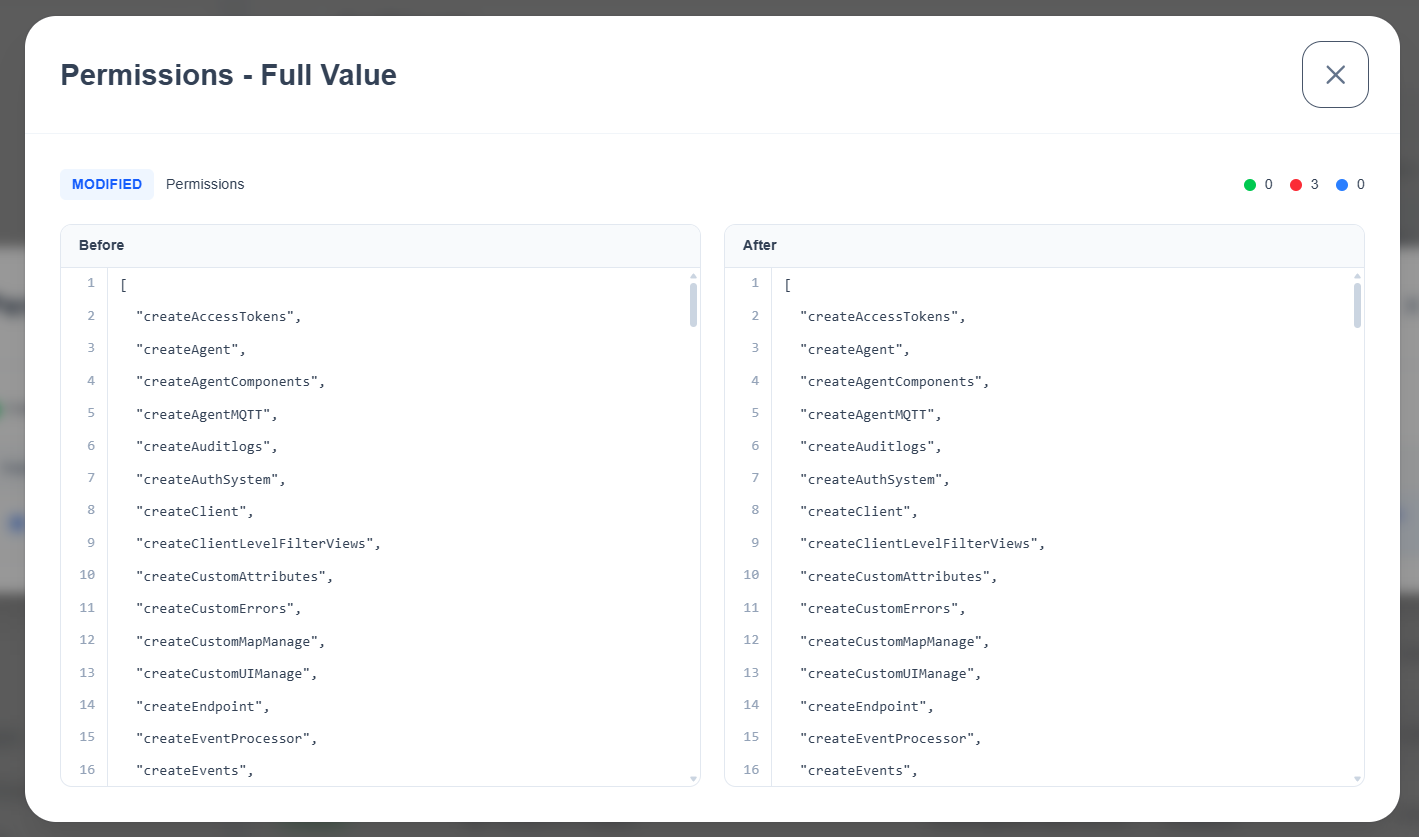
Every create, update, delete and sign-in is recorded with the user, module and timestamp, so you can see who changed what and when.
- Create, update and delete markers
- Before and after values per change
- Filters and saved views
Roles and permissions
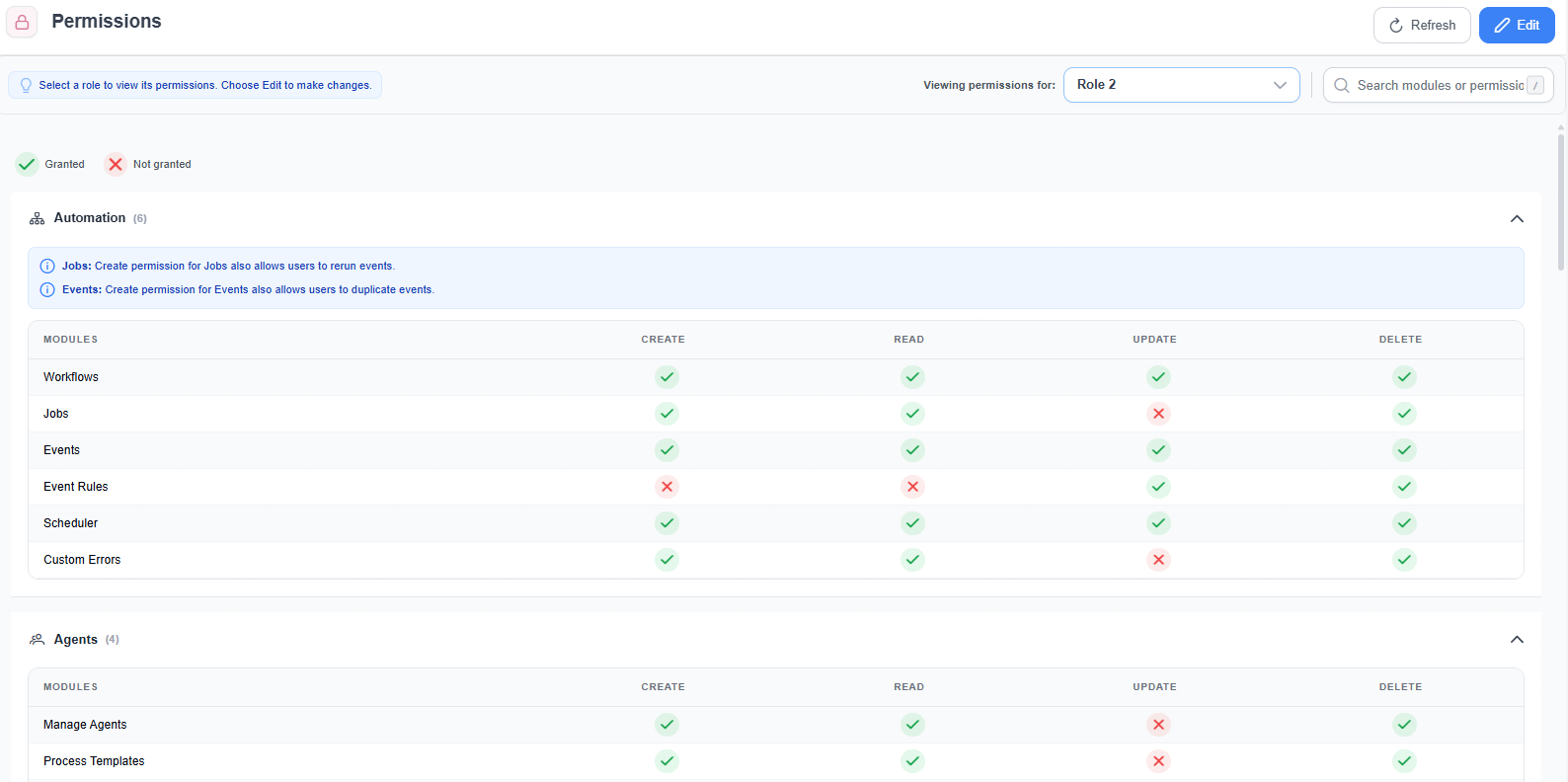
Roles grant create, read, update and delete rights per module. Custom permissions go further and control individual parts of a Custom UI.
- Per-module CRUD permissions
- Custom permissions for UI components
- Token expiry per role
How an event moves through the Gateway.
Everything is an event. Each one follows the same path, whatever channel it came from.
- 01
An event arrives
A tag read, scan, API call, timer or object change enters through any channel and is normalized into one internal event format.
- REST endpoint
- MQTT topic
- EPCIS message
- Scheduler
- Object change
- 02
An Event Rule routes it
The rule checks conditions, maps fields and selects the workflow to run. Events that match nothing are ignored, not processed.
- Source
- Trigger type
- Conditions
- Variable mapping
- 03
A workflow executes
The engine runs each action in order: extract, validate, transform, decide. One failing workflow never blocks the others.
- Condition
- SetVar
- CustomScript
- MQTTPublisher
- 04
Object data is updated
Object Schemas reflect the new state of the asset or order, with versioning and history for every change.
- CreateObject
- SetObjectInstant
- GetObjectsOfAttributes
- 05
Results reach your systems
Structured output goes to ERP, WMS or MES, while Custom UIs and Maps refresh for the people on the floor.
- REST call
- MQTT publish
- SQL query
- XML or Excel file
- 06
Every run is traceable
Jobs, logs and the workflow context are stored per execution, ready for auditing, debugging and reruns.
- Workflow jobs
- Workflow context
- Audit logs
Speaks the protocols your landscape already uses.
Data enters and leaves the Gateway through industry-standard interfaces, so integrations are configuration rather than code.
Into the Gateway
Out to your systems
- REST callsOutbound requests and webhooks to any HTTP API
- MQTT publishPush messages to brokers, devices and live UIs
- SQLQuery and write external databases from a workflow
- FilesGenerate XML and Excel documents for downstream systems
- SAP
- Oracle
- Microsoft Dynamics
- WMS
- MES
From the introduction to your first workflow.
Learn the model
Understand Agents, the Gateway and the event-driven flow between them.
Install
Deploy the Gateway services, then install Agents beside your devices.
Receive events
Expose a REST endpoint or subscribe to an MQTT topic for incoming data.
Route and automate
Create an Event Rule and build your first workflow end to end.