Preferences
Preferences control regional, appearance, and accessibility settings in the Gateway. They allow administrators to define client-wide defaults while allowing each user to keep personal settings where needed.
Preference Levels and Inheritance
Preferences are resolved in the following order:
- User preference – A user-specific value has the highest priority.
- Client preference – A value defined for the current client is used when the user has not set an override.
- System default – The Gateway default is used when neither the client nor the user has defined a value.
The Preferences pages identify the source of each current value. A value can be shown as System default, Client default, or Your override. Use this information to see whether the displayed value is inherited or has been defined at the current level.
Available Preferences
Preferences are grouped into the following sections:
| Section | Preferences |
|---|---|
| Regional Preferences | Language, Culture, and Time Zone. Select AUTO for Time Zone to automatically detect the browser time zone. |
| Appearance Preferences | Theme, Primary Color, Surface Color, and Default Page Size. |
| Accessibility Preferences | Text Size, with options from Small through XXX Large. |
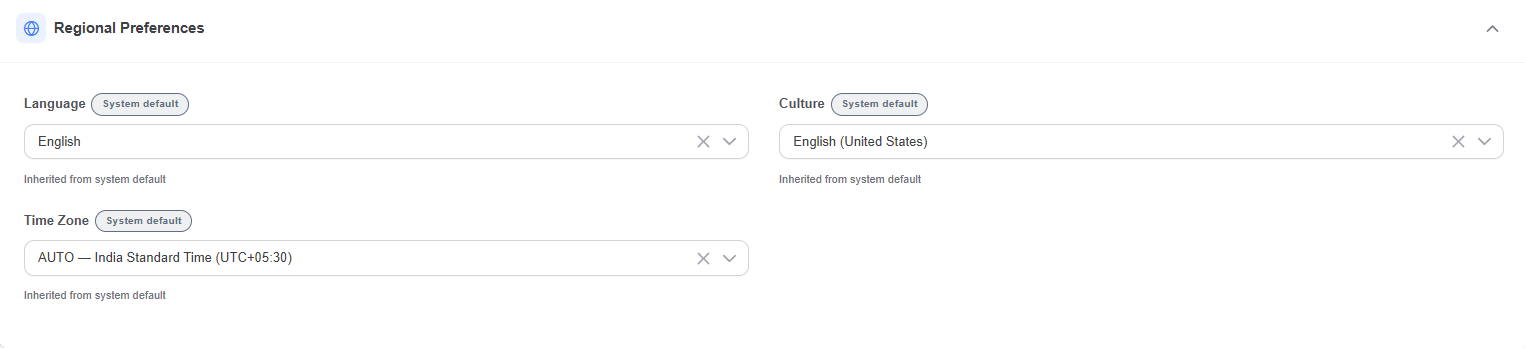
Regional Preferences include language, culture, and time zone settings. AUTO uses the browser time zone.
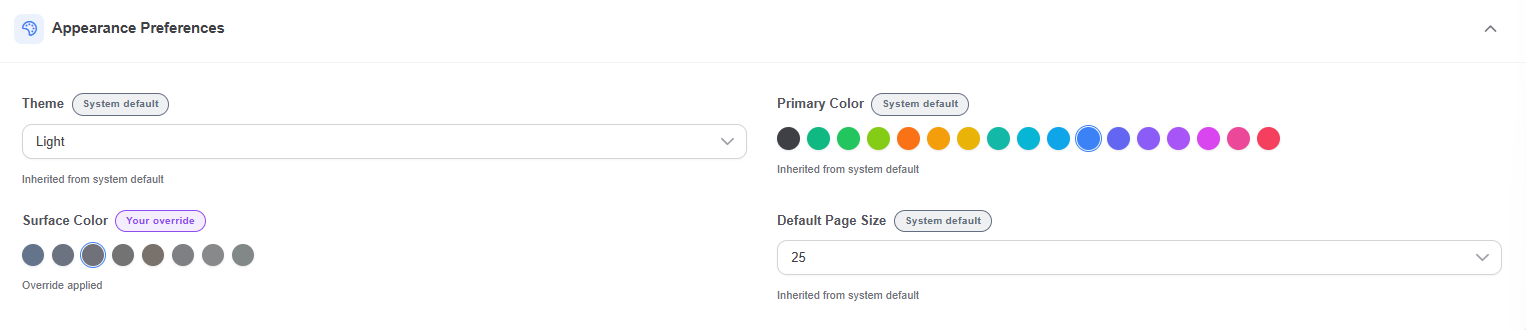
Appearance Preferences include theme, colors, and the default page size.

Accessibility Preferences include the text-size setting.
Set Client Preferences
Client Preferences define the defaults for users of the current client. Use them to apply a consistent regional, appearance, or accessibility setting across the client without preventing users from creating their own overrides.
- Navigate to Administration > System Config > Client Settings.
- Select Client Preferences.
- Select Edit.
- Set the required preferences in the relevant section and save the changes.
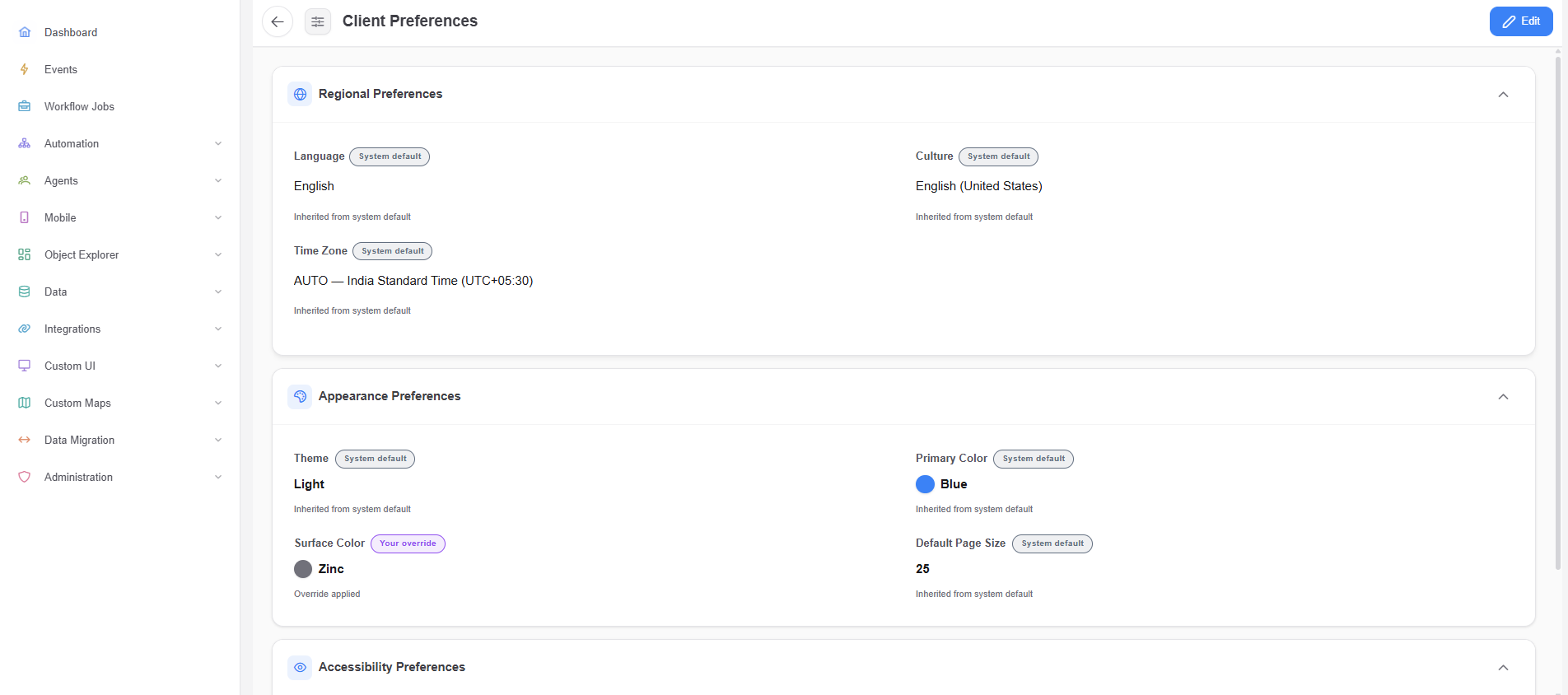
Client Preferences show the values inherited from the System default and any client-level overrides.
Set My Preferences
My Preferences are user-specific. Use them when a user needs a different language, time zone, appearance, page size, or text size from the client default.
- Select the Profile icon.
- Select Preferences.
- Select Edit.
- Set the required preferences and save the changes.
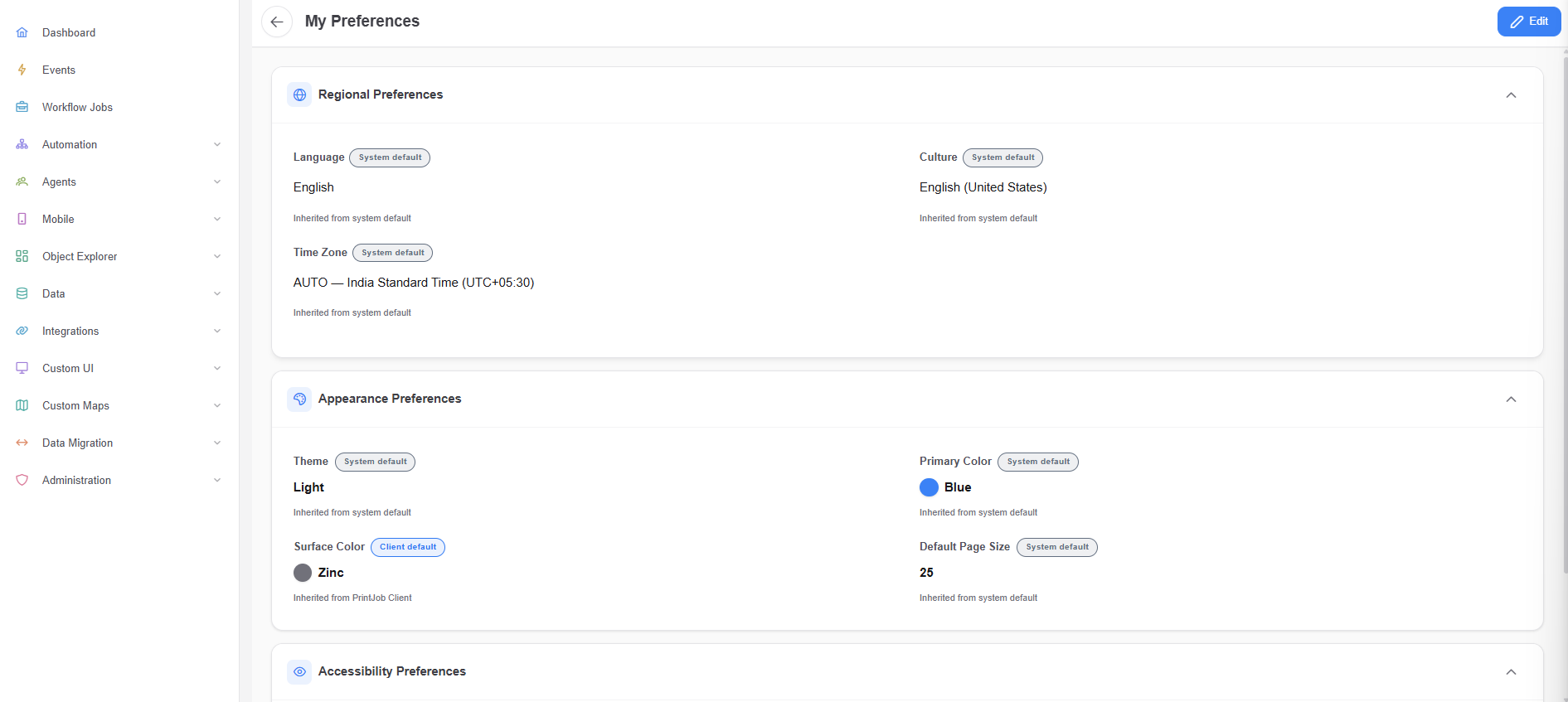
My Preferences show inherited values and client-level defaults for the current user.
When a user does not define a preference, the Gateway uses the Client preference when one is defined, or the System default when it is not.