Custom Attributes in Object Schemas
Custom Attributes define a reusable set of selectable values. They work like standard attributes, but instead of accepting any value of a data type, they require users and workflows to use one of the values defined by an administrator. Use them when an Object attribute must accept one of a controlled set of values, such as a status.
For example:
- A standard String attribute named
nameaccepts free text. - A Custom attribute can limit
statusto values such as Active, Inactive, or Pending.
This keeps values consistent wherever the attribute is used.
Open Custom Attributes
From the dashboard, go to Data > Custom Attributes.
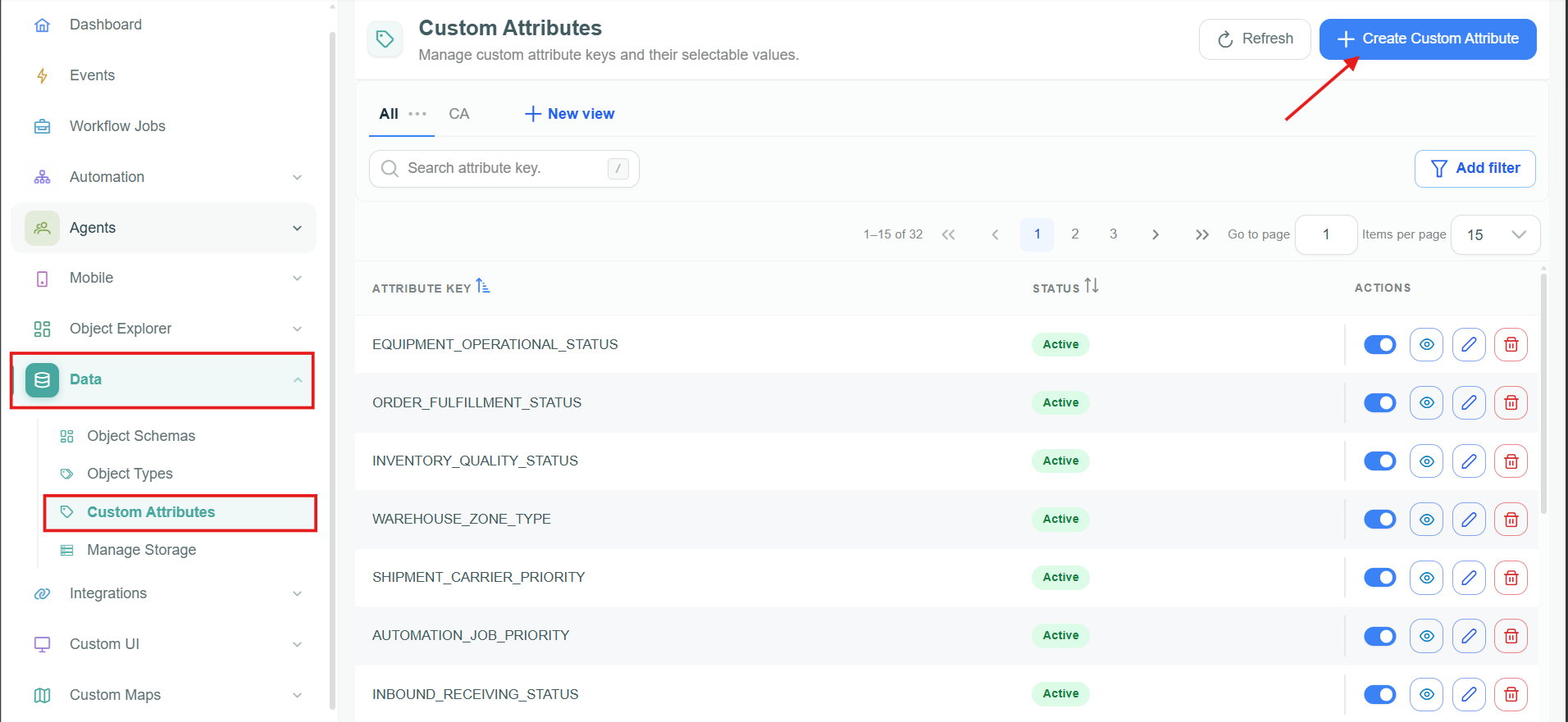
Custom Attributes in Data.
Create a Custom Attribute
- Select Create Custom Attribute.
- In General Information, enter a required Attribute Key. This is the unique technical key used to identify the attribute.
- In Attribute Values, select Add Value for each selectable value.
- For every value, enter the required Value Key, English Label, and German Label.
- Select Save. Use Cancel or Back to list to leave without saving.
The Attribute Key should be stable and meaningful because it identifies the Custom Attribute when it is selected in an Object Schema. Value keys are the technical values stored for the attribute, while the English and German labels provide the user-facing translations.
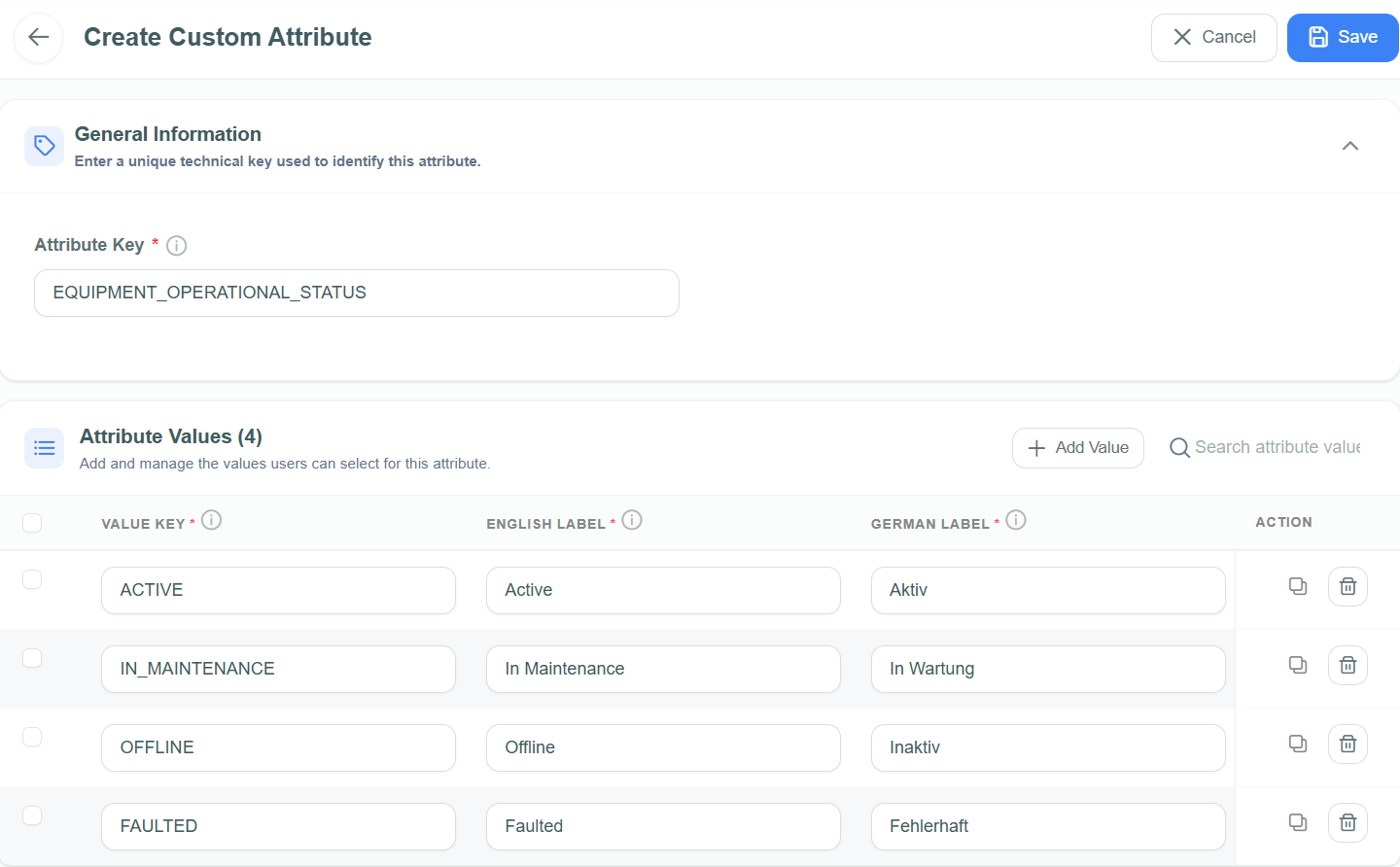
Define an Attribute Key and its selectable values.
Example: Status
| Value Key | English Label | German Label |
|---|---|---|
ACTIVE | Active | Aktiv |
INACTIVE | Inactive | Inaktiv |
PENDING | Pending | Ausstehend |
Use a Custom Attribute in an Object Schema
- Create or edit an Object Schema.
- In Object attributes, select Add Attribute.
- Enter the Attribute name and select Custom from Attribute data type.
- Select the Custom Attribute to use, then save the Object Schema.
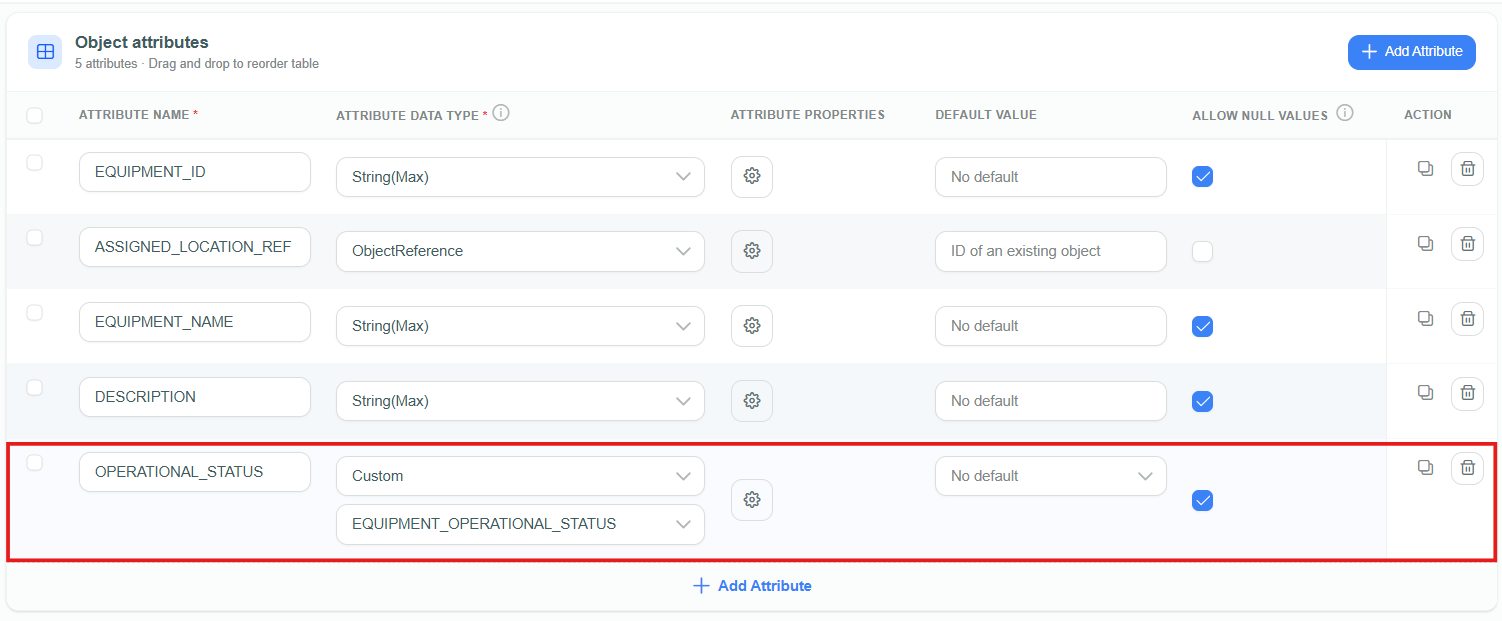
Select Custom as the Attribute data type when defining an Object attribute.
Objects using this attribute can only use one of the configured Custom Attribute values.
Example usage
Consider an Object Schema with an ID, a name, and the status Custom Attribute shown above. A workflow or API route can supply any valid GUID for the ID and any text for the name, but status must be ACTIVE, INACTIVE, or PENDING. If it supplies another value, validation fails and the Object is not created. This protects data quality before inconsistent values reach workflows, reports, or downstream systems.
Benefits of Custom Attributes
- Data consistency: Prevents erroneous data entry by limiting input to predefined valid values.
- Simplified data management: Reuses the same value sets across Object Schemas, making maintenance and queries easier.
- Improved data quality: Keeps Object values uniform for reliable reporting and analytics.