Pagination in RCOM Gateway
Pulling large datasets in one go is a bad design decision. It increases response time, overloads the database, and makes UIs unusable. Pagination fixes this by breaking data into manageable chunks.
In RCOM Gateway, this becomes even more important because:
- Workflows execute per request → heavy queries directly impact system throughput
- Event-driven processing means slow queries delay downstream logic
- Custom UIs and APIs often deal with continuously growing datasets
Pagination ensures:
- Faster response times
- Lower database load
- Scalable APIs
- Predictable workflow execution
Pagination Approach (Limit + Offset)
RCOM Gateway uses a standard pagination model:
- Limit → number of records to fetch
- Offset → starting position
Example API Call:
example.com/api/getdata?limit=10&offset=0
This means:
- Fetch 10 records
- Start from record 0
Step 1 — Define Workflow Parameters
In your workflow, define:
| Name | Type |
|---|---|
| Limit | Int |
| Offset | Int |
These will receive values from the API request.
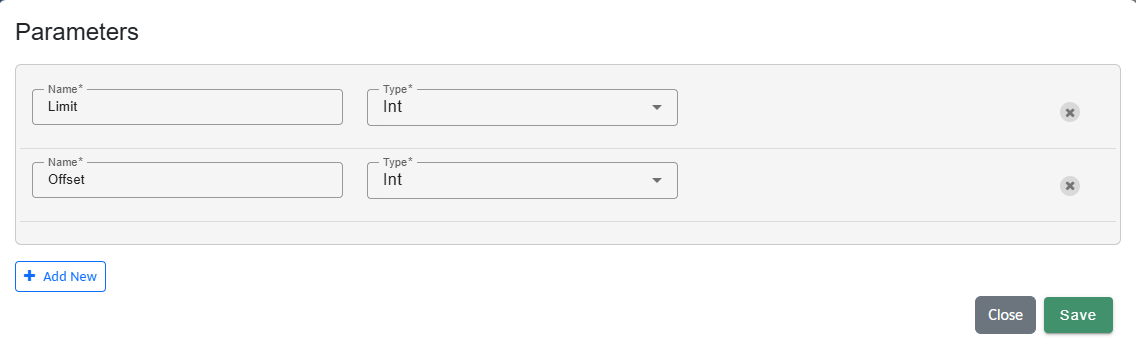
Parameter Mapping
Step 2 — Build Query Using SetVar
Use SetVar to construct your SQL query.
Important correction:
- Variable type should be String
Example:
"SELECT TC.\"OBJECT_ID\", TC.\"id\", TC.\"title\",  TC.\"status\", TC.\"author\", O.\"TIME_UPDATED\" \
FROM \"T_OGA_TCMS_Test_Cases\" TC \
JOIN \"T_OBJECT\" O ON TC.\"OBJECT_ID\"=O.\"OBJECT_ID\" \
ORDER BY O.\"TIME_UPDATED\" DESC, TC.\"id\" DESC \
LIMIT "+Limit+" OFFSET "+Offset+";"
Important Notes:
\"is required to escape quotes inside RCOM SQL strings- Query must remain a valid string
- Do not overcomplicate with unnecessary casting
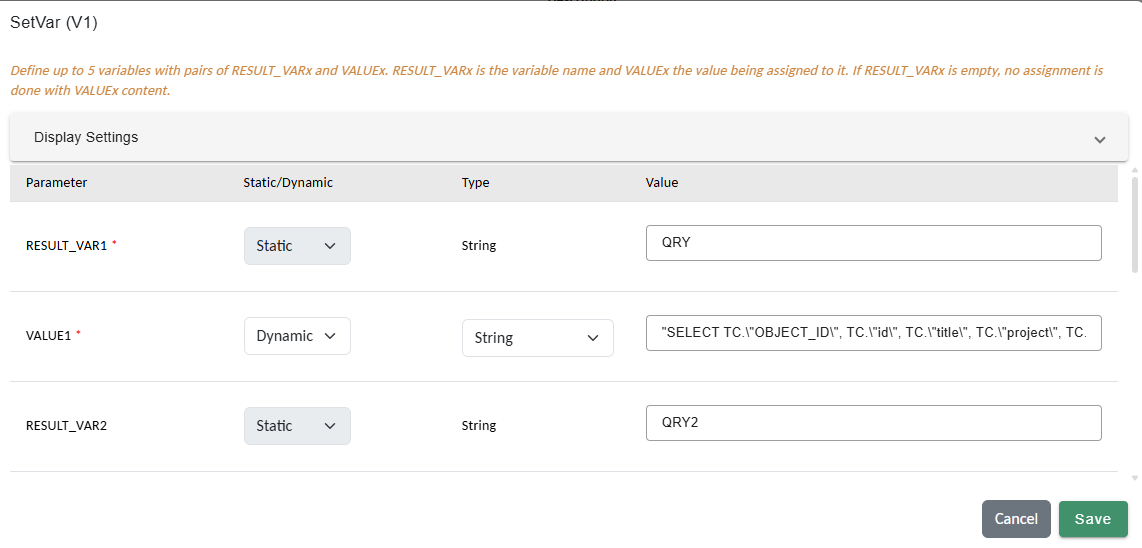
SetVar Example
Step 3 — Execute Query
Use:
- CustomPostgresSQL
- Input: Query string
- Output:
List<Dictionary<string, object>>
This returns paginated results.
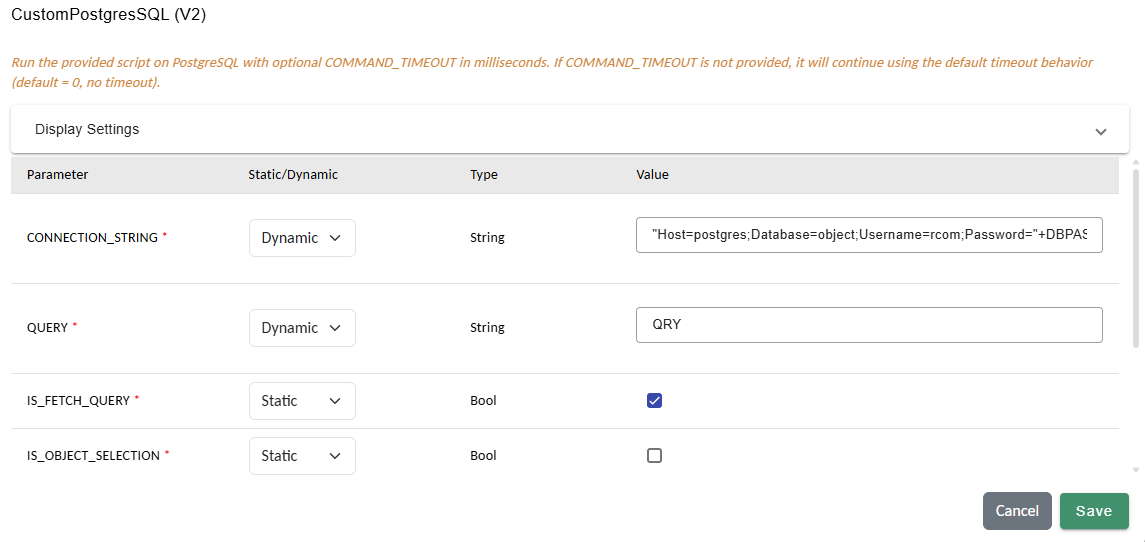
CustomPostgresSQL Example
Step 4 — Transform or Return Data
Once data is retrieved you can further transform the data within the workflow or sned the data back via SetHttpResponse action.
Step 5 — Map URL Parameters in Event Processor
After saving the workflow, map the URL parameters in the Event Processor → Variable Mapping:
| Workflow Variable | Mapping Expression |
|---|---|
| Limit | PARAMETERS["limit"].ToString().ToInt() |
| Offset | PARAMETERS["offset"].ToString().ToInt() |
Key points:
- Use contnet type as Dynamic.
- URL params are available in
PARAMETERS - Always cast to correct type
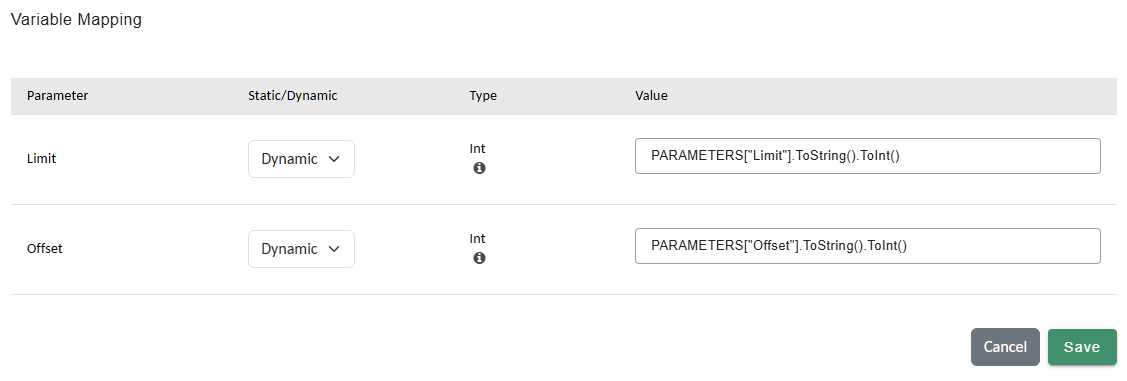
Event Processor Mapping
Example Flow
Request:
GET /api/getdata?limit=20&offset=40
Query Behavior:
- LIMIT 20 OFFSET 40
Result:
- Records 41–60 returned